Planet Zoo can feel overwhelming during the first few hours because almost every part of your zoo affects something else. A beautiful habitat still fails if staff cannot reach it. Happy animals do not guarantee profit if guests cannot find food, toilets or a good viewing area. The easiest way to improve is to build slowly and solve problems before expanding.
These Planet Zoo tips cover the systems that matter most for beginners and growing zoos, including habitats, animal welfare, staff, money, guest happiness, education and efficient construction.
Start with Career Mode Even If You Want to Build Your Own Zoo
Career Mode is the best introduction because it teaches Planet Zoo in manageable pieces. You learn camera movement, habitats, staff buildings, animal care and management while working in partially completed zoos.
A few tutorial scenarios can save hours of frustration later, especially on console where construction has several contextual controls.
Do Not Build a Huge Zoo Immediately
One of the easiest ways to lose money is opening too many habitats before your first few attractions are profitable.
Begin with a small entrance area, one or two manageable species and only the facilities those animals and guests actually need. Let income stabilize before expanding.
Check the Zoopedia Before Building a Habitat
The Zoopedia should decide the habitat rather than the other way around.
Check the animal's required land area, water area, barrier grade, climbing ability, temperature, social group size, terrain preferences and compatible plants before construction.
Doing this first prevents expensive rebuilding after the animals arrive.
Give Animals More Space Than the Minimum
A habitat that barely meets the minimum space requirement can become overcrowded as animals breed.
Leaving some extra room means you will not immediately need to rebuild when offspring arrive. This is especially useful with species that reproduce quickly.
Watch the Traversable Area Heat Map
The habitat may look large enough to you while only part of it is actually usable by the animal.
Large rocks, steep slopes, narrow entrances and badly positioned scenery can reduce traversable area. Use the heat maps whenever an animal reports insufficient space even though the enclosure appears generous.
Barrier Height Is Not the Only Thing That Matters
Animals can escape because a barrier is too low, too weak or climbable. Aquatic animals can also escape across unsuitable water boundaries.
Check the required barrier grade in the Zoopedia and use climb proofing when necessary. Mechanics should also have enough time to inspect and repair habitat walls before deterioration becomes dangerous.
Place the Habitat Gate Where Staff Can Reach It Quickly
Keepers, vets and caretakers enter habitats through the gate. A gate placed at the far end of a large habitat can create a lot of wasted walking.
Where possible, place it near a backstage staff route with a keeper hut and staff room close by.
Keep Keeper Huts Close to Habitats
Keepers prepare animal food inside keeper huts. If the hut is far away, they spend a large amount of their shift walking instead of caring for animals.
A compact service area behind several nearby habitats is much more efficient than one keeper hut serving the entire zoo.
Do Not Panic When an Empty Feeder Is Not Refilled
Keepers calculate how much food the animals currently need. They also tend to fill food enrichment items before ordinary feeders.
An empty food tray does not automatically mean something is broken. Check the animals' hunger status first. If they are not hungry, the keeper may correctly decide that no additional food is required.
Create Work Zones as Your Zoo Grows
Work zones stop staff from wandering across the entire zoo looking for jobs.
A useful keeper work zone might contain two or three nearby habitats, their keeper hut and a staff room. Mechanics can have zones built around clusters of utilities and barriers.
Work zones become increasingly valuable as the zoo gets larger.
Do Not Overwork One Keeper
A single keeper responsible for too many busy habitats eventually falls behind on feeding and cleaning.
If habitats regularly become dirty or animals remain hungry despite having accessible facilities, check the keeper's workload before adding more feeders.
Staff Rooms Matter More Than They Look
Staff lose energy while working and recover it in staff rooms. Exhausted workers become inefficient and unhappy.
Place staff rooms near the areas where employees actually work. Training can improve efficiency further, but trained staff also expect higher wages.
Hide Staff Facilities from Guests
Guests dislike seeing many operational buildings such as power facilities and staff structures.
Use the negative impact heat map to see the affected area and place unattractive facilities behind habitats, scenery or separate staff paths rather than beside the busiest guest routes.
Use Donation Boxes Wherever Guests Get a Good View
Guests are more likely to donate after seeing an animal they enjoyed.
Put donation boxes near viewing areas rather than randomly along paths. One properly positioned box beside a popular habitat can generate far more money than several placed where nobody stops.
Good Animal Views Are Part of Your Economy
Guests want to see animals clearly. If they walk a long distance to a habitat and cannot get a decent view, their experience suffers.
Glass barriers, raised viewpoints and thoughtful path placement can improve viewing without surrounding every habitat with guests.
Shy animals may become stressed by constant exposure, so use one way glass and privacy areas when appropriate.
Education Makes Guests More Valuable
Education is not just decoration. Better educated guests are happier and can spend more money during a visit.
Place education boards near the relevant habitat, use speakers carefully and add Animal Talks once your zoo can support educators.
Researching a species also improves the educational value associated with that animal.
Do Not Overlap Education Speakers
Speakers for different species should not heavily overlap. Guests can become confused by competing educational audio and receive less benefit.
Use the speaker coverage display to give each habitat its own clear education area.
Research Your Animals Early
Veterinary research unlocks useful knowledge and additional enrichment for a species.
Research the animals already living in your zoo rather than spreading vets across species you do not currently need. Better enrichment improves welfare and makes long term habitat management easier.
Do Not Add Every Enrichment Item at Once
Enrichment is valuable, but animals only need enough suitable items to satisfy their needs.
Start with a few appropriate food and toy enrichment options, then check the animal welfare panel before filling the habitat with unnecessary objects.
Use Quarantine for Valuable New Animals
Quarantine can identify health issues before a new arrival enters a populated habitat.
It becomes particularly useful when bringing valuable or vulnerable animals into an established breeding group because one sick newcomer can create a much larger problem.
Watch Social Group Limits When Animals Breed
Many species have strict limits on the number of adults or the ratio between males and females.
A group that starts perfectly can become socially unstable after offspring mature. Check notifications and move, trade or release excess animals before fighting begins.
Use Contraception When You Already Have Enough Animals
Breeding is useful, but uncontrolled breeding creates overcrowding, social problems and constant management.
Contraception is one of the easiest ways to keep a stable group while you decide which animals should remain part of your breeding program.
Do Not Ignore Genetics
Animals have genetic qualities that affect characteristics such as longevity, size, fertility and immunity.
If you are building a long term breeding population, compare potential parents instead of simply allowing every compatible pair to reproduce.
Separate Guest Paths and Staff Routes
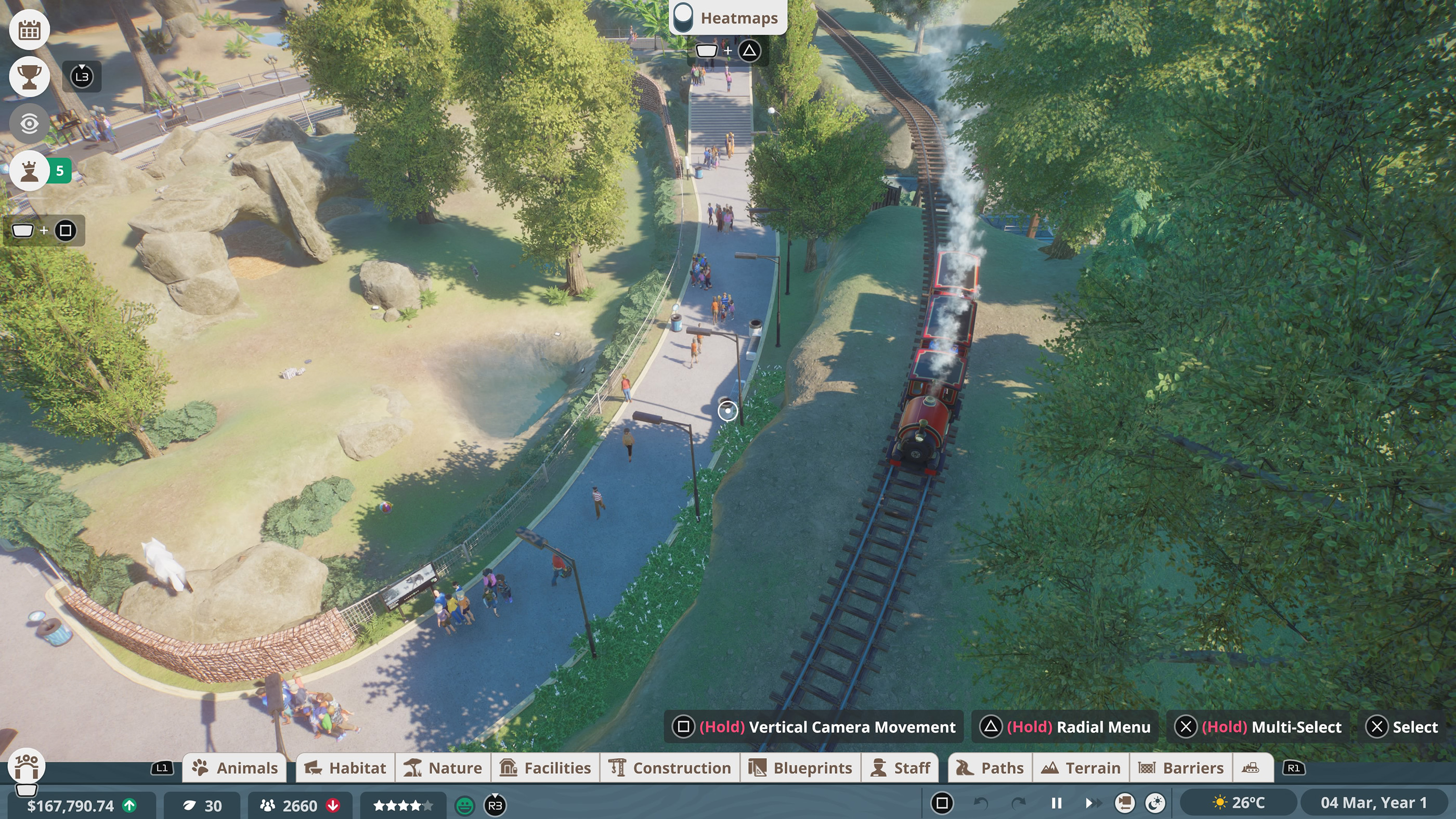
A useful zoo layout keeps public traffic away from backstage operations.
Guests can follow the main paths between exhibits while staff use shorter service routes behind habitats. This improves staff travel time and keeps unattractive facilities away from visitors.
Wider Paths Help Busy Areas
Entrance plazas, popular viewing points and areas around food shops can become congested.
Use wider paths in these locations before crowding becomes a problem. It is much easier than rebuilding a packed central avenue after the zoo has grown around it.
Use Grids When Paths Refuse to Cooperate
Planet Zoo paths are flexible, but that flexibility can make perfectly aligned areas difficult.
Grid based path placement is excellent around shops, plazas and rectangular buildings. Free placement works better for natural trails and curved habitats.
Build Around Guest Needs, Not Just Animals
Guests track hunger, thirst, toilet needs, energy, education and happiness.
Do not put every shop at the entrance. As the zoo expands, distribute food, drinks, toilets and resting places around the routes where visitors actually spend time.
Benches Are More Useful Than They Look
Guests lose energy as they travel through the zoo. Benches let them recover without forcing them to leave an area.
They are especially useful along long routes between habitats and close to food areas where guests naturally stop.
Do Not Spam Shops Too Early
Every facility has running costs and requires staff. Too many shops can turn a small zoo into an expensive operation before guest numbers justify them.
Add facilities when existing shops begin receiving steady traffic rather than filling an empty entrance plaza with every possible store.
Check Guest Thoughts Before Guessing
If people are unhappy, select several guests and read their recent thoughts.
They will often tell you exactly what is wrong, whether that is hunger, high prices, litter, poor animal views, overcrowding or ugly staff facilities.
Use Heat Maps Constantly
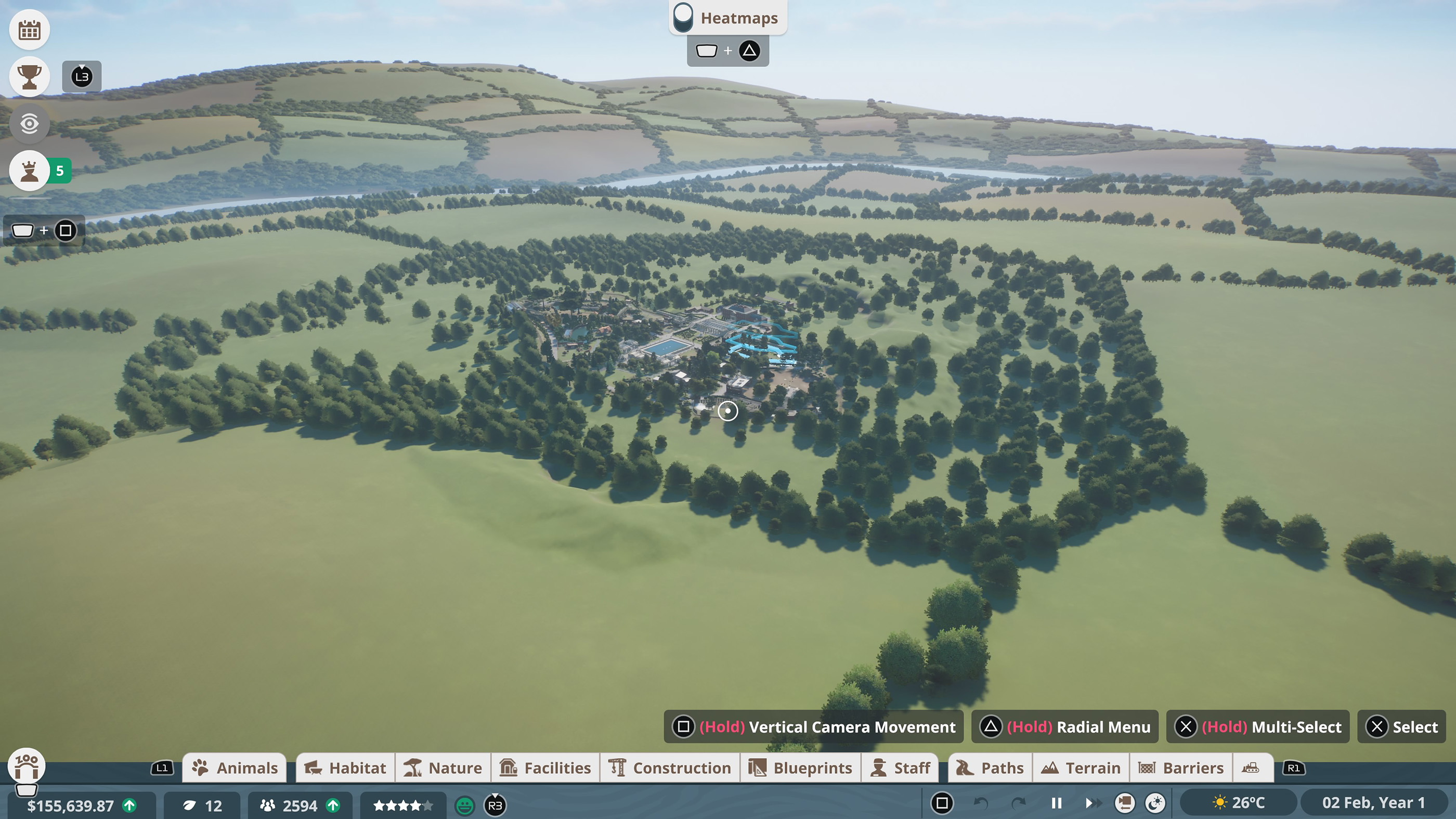
Heat maps are one of Planet Zoo's best diagnostic tools.
They can help with electricity, water treatment, guest impact, habitat traversability, temperature and other systems. Whenever something seems wrong but the cause is not obvious, open the relevant heat map before rebuilding anything.
Pause While Building
There is no reason to let the simulation race ahead while you spend fifteen minutes adjusting a habitat wall.
Pause the game during major construction. You can then solve layout problems without animals breeding, staff salaries accumulating and guests becoming progressively unhappier while you work.
Use Slow Speed for Management
Fast forward is useful when waiting for research or construction, but it can quickly turn a manageable zoo into a screen full of alerts.
Return to normal speed whenever you introduce a new species, change staff assignments or expand into a major new area.
Watch the Zoo Complexity Meter on Console
Planet Zoo Console Edition uses a Zoo Complexity Meter to maintain performance as your zoo grows.
Animals, habitats, scenery, facilities, paths and bodies of water all contribute to it. Reaching the limit prevents further additions and can stop animal breeding until complexity is reduced.
If you want a very large zoo, use detailed scenery where guests will actually see it rather than covering every hidden corner with hundreds of decorative pieces.
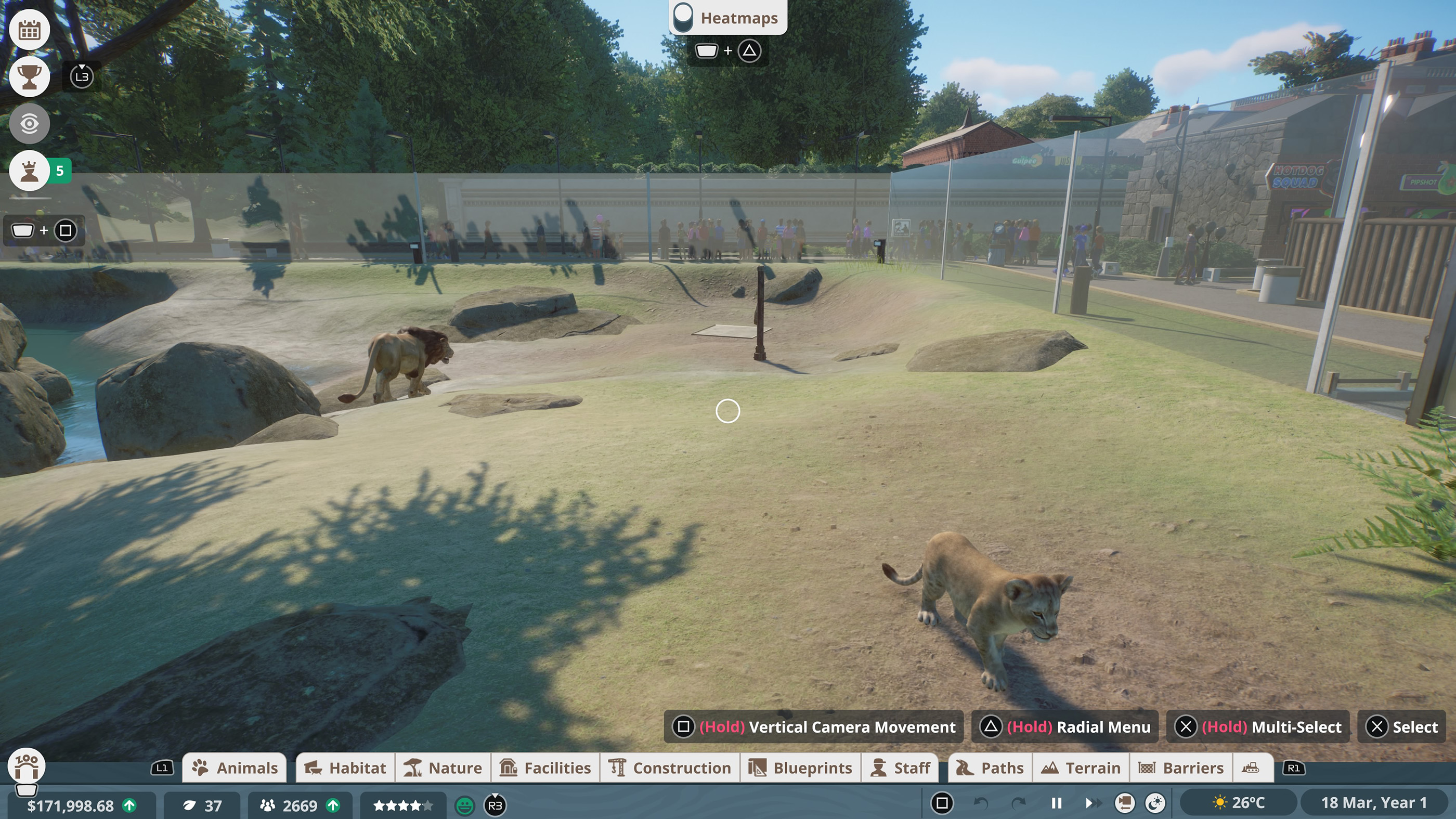
Use the Frontier Workshop
You do not have to build every detailed structure yourself.
The Frontier Workshop provides community creations that can save enormous amounts of time, especially for decorative buildings, habitat shells and scenery groups.
Using a blueprint as a starting point is also a good way to learn how experienced builders combine individual scenery pieces.
A Simple First Zoo Plan
For a new Challenge or Franchise zoo, a reliable opening is to create one compact habitat near the entrance, add a keeper hut and staff room behind it, place a donation box and education item beside the viewing area, then add only the essential guest facilities.
Get that first section working properly before building the second habitat. A small zoo with excellent welfare and happy guests is much easier to expand than a huge zoo already losing money.
Planet Zoo Beginner FAQ
What should I build first in Planet Zoo?
Start with paths, a basic habitat, a habitat gate, essential staff facilities and only enough guest services to support your current visitor numbers.
Why are my keepers not feeding animals?
Check that the habitat gate is accessible, the keeper can reach a powered keeper hut and the animals are actually hungry. Keepers may also fill food enrichment before ordinary trays.
Why are my animals stressed?
Poor privacy and constant guest exposure are common causes. Give shy species somewhere to hide and consider one way glass or Do Not Disturb signs.
Why are guests unhappy near staff buildings?
Many operational facilities have a negative guest impact radius. Use the heat map and move them away from public paths or hide them in backstage areas.
How do I make more money in Planet Zoo?
Keep animal welfare high, create good viewing areas, place donation boxes where guests stop, educate visitors and avoid expanding faster than your income can support.
Should I use work zones?
Yes, especially once the zoo becomes large enough that staff spend too much time walking between distant jobs.
What is the easiest mode for beginners?
Career Mode is best for learning. Sandbox is best if you mainly want to build without worrying about the full economy.
How can I get better at building on controller?
Learn Multi Select, Advanced Move, grid paths and the radial menu. These tools remove much of the frustration that comes from trying to position everything with basic movement alone.
Build Slowly and Let the Zoo Tell You What It Needs
Planet Zoo becomes much easier when you stop trying to predict every future problem. Build one functioning area, watch the animal welfare panels, read guest thoughts and use heat maps to identify the next bottleneck.
Good zoos grow in layers. First make the animals comfortable, then make staff efficient, then improve the guest experience and only expand once the current section is stable.
Comments
No comments yet. Be the first to share your thoughts!