Full Throttle Remastered is shorter and more direct than many classic adventure games, but its puzzles still expect players to think like Ben Throttle. That means paying attention to machinery, listening carefully to dialogue and occasionally solving a problem with a steel-toed boot instead of polite conversation.
The game mixes traditional point-and-click investigation with motorcycle battles, a demolition derby and several mechanical puzzles. Most progress comes from understanding how an object works rather than randomly trying every inventory item on every hotspot.
This guide offers spoiler-light advice for exploration, conversations, inventory puzzles, bike combat, classic and remastered modes, developer commentary and the most common places where new players become stuck.
Essential Full Throttle Remastered Tips
- Examine every new item before trying to use it.
- Press D-Pad Up when a small hotspot is hidden in the scenery.
- Use the right stick to snap between interactive objects.
- Try the boot icon when a mechanism refuses to cooperate.
- Repeat conversations after learning new information.
- Listen for names, locations, passwords and mechanical clues.
- Search the extreme edges of every screen for exits.
- Think about what an inventory object physically does.
- Save before motorcycle fights and other action sequences.
- Change bike weapons when an opponent resists ordinary attacks.
- Use the remastered/classic toggle to compare hard-to-read details.
- Leave developer commentary for a second playthrough if you want uninterrupted dialogue.
Think Like Ben Throttle
Full Throttle's puzzle logic is shaped by its protagonist. Ben is observant, mechanically capable and willing to use force when necessary.
When a puzzle does not respond to a conventional interaction, ask:
- Can Ben pull or push it?
- Can it be kicked?
- Is it part of a vehicle or machine?
- Does another character know something about it?
- Can an inventory item replace a missing component?
- Would damaging it create a useful result?
The Boot Is a Real Verb
Players trained by other adventure games often ignore the kick command. In Full Throttle, force is sometimes the intended solution rather than a joke response.
Do Not Kick Everything Immediately
Examine the object first. Ben's comment may indicate whether it is fragile, blocked, locked or mechanically connected to something else.
Search Every Screen Methodically
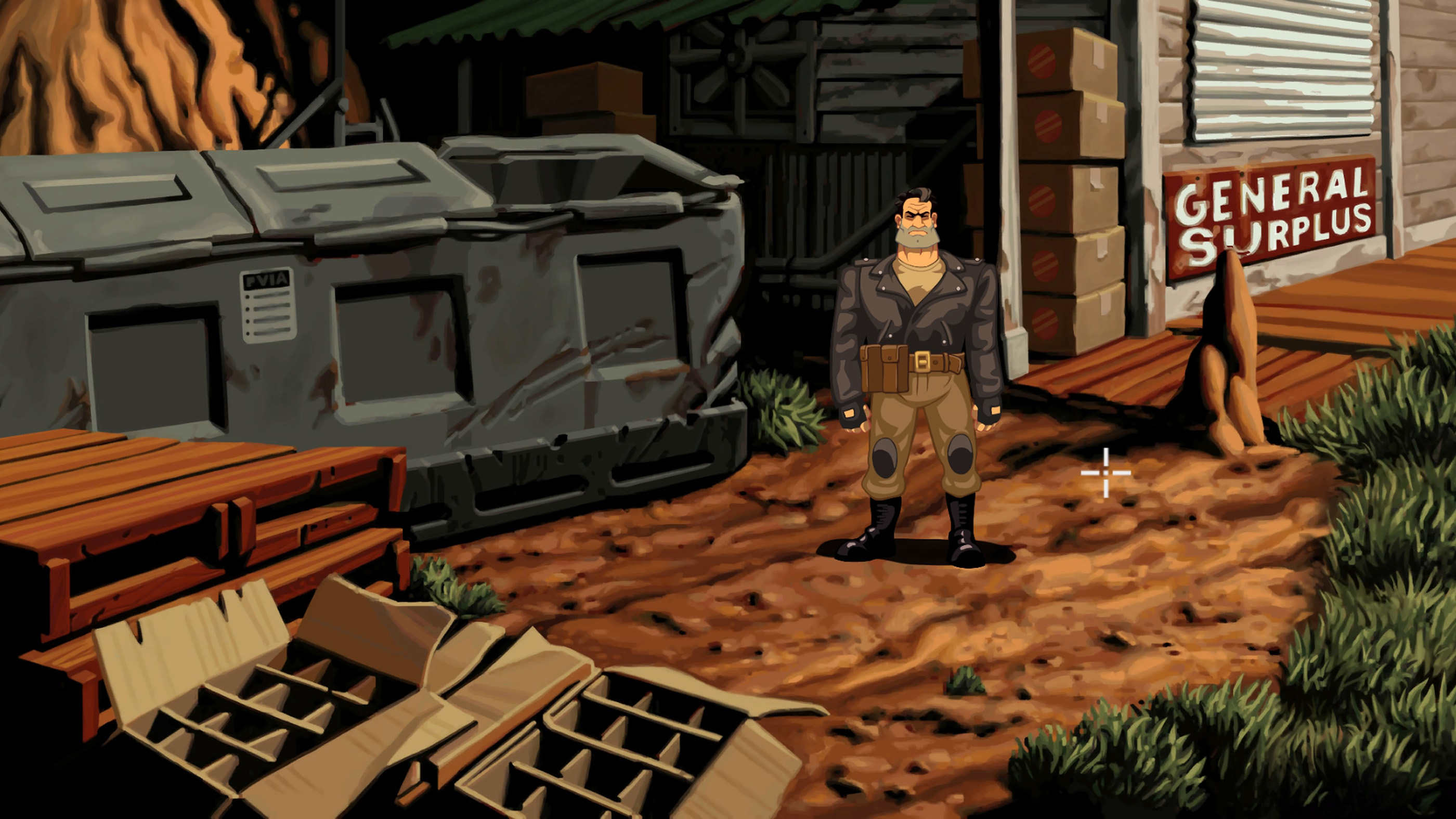
A reliable search pattern prevents small objects from being overlooked.
- Move the cursor around the central characters and machinery.
- Trace the edges of doors, furniture and vehicles.
- Check the upper and lower corners.
- Search both extreme sides for scene exits.
- Press D-Pad Up to reveal recognised hotspots.
- Use the right stick to cycle through them.
Foreground Objects Can Hide Useful Details
The remastered artwork is clean and cinematic, but a small item can still blend into a workshop, bar or roadside location. Change render mode when a shape remains unclear.
Return to Locations After Obtaining New Items
A hotspot that had no purpose earlier may become important once Ben has the right tool or information.
Use Object Highlighting Without Spoiling the Puzzle
D-Pad Up reveals interactive hotspots, but it does not tell you which verb or item is correct.
A balanced approach is to use highlighting:
- After inspecting the scene naturally.
- When a required item is visually tiny.
- When an exit is difficult to distinguish.
- When revisiting a location after a story event.
A Hotspot May Have Several Functions
The same object can often be examined, used and kicked. Highlighting identifies the target, not the solution.
Examine Everything You Collect
Open the inventory and press Square or X on each new object.
Ben's description can reveal:
- The material from which it is made.
- Its mechanical purpose.
- Whether it is empty or damaged.
- Whether it belongs to someone.
- Why it may work as a weapon or tool.
Inventory Descriptions Are Often Hints
A seemingly humorous line may contain the exact quality required by a later puzzle, such as strength, flexibility, sharpness or resistance to heat.
Remember Where the Item Came From
Its original location often explains its intended use. A component found near machinery is more likely to repair or operate another machine than to solve a dialogue puzzle.
Use Physical Logic Before Trial and Error
When choosing an inventory item, describe the problem in ordinary language.
Examples include:
- A container needs something capable of holding liquid.
- A locked or fixed part needs leverage.
- A vehicle needs fuel or a replacement component.
- A person needs to be distracted.
- A guarded area needs an indirect route.
Then inspect the inventory for an object with the required physical quality.
Do Not Combine Objects Only Because They Are Available
The game's smaller inventory is designed around readable relationships. Random use usually produces Ben's refusal rather than useful information.
Listen Carefully to Dialogue
Conversation is not merely character flavour. Important clues are often delivered casually.
Listen for:
- Place names.
- Descriptions of rival gangs.
- Who possesses a particular object.
- How a machine or vehicle works.
- Why someone refuses to help.
- What another character fears or wants.
Exhaust Relevant Dialogue Branches
Continue asking questions until the responses begin repeating or the conversation closes naturally.
Return After the Story Changes
A character who dismissed Ben earlier may respond differently after he obtains evidence, completes a task or learns another person's name.
Do Not Skip Unknown Dialogue
Use the skip input only for lines you have already heard. A single sentence may identify the next location or puzzle objective.
Study Ben's Responses
A failed interaction is not always meaningless. Ben may explain why the action does not work.
His refusal can reveal that:
- The object is too hot.
- A tool is too weak.
- A container is empty.
- Someone is watching.
- The part is attached or locked.
- Another step must happen first.
Change One Part of the Attempt
When Ben gives a specific reason for refusing, solve that condition instead of trying every other item randomly.
Check Every Exit
The game sometimes uses screen edges, roads or vehicle icons as exits rather than obvious doors.
Move the cursor along:
- The far left and right edges.
- Paths disappearing into the background.
- Road entrances.
- Doors partly obscured by people or vehicles.
- Ben's motorcycle when it is available.
An Exit May Appear Only After Progress
A location can gain another destination after Ben learns where he needs to go. Recheck the road or motorcycle after important dialogue.
Use Classic and Remastered Modes as Visual Tools
The presentation toggle is primarily a historical feature, but it can also help distinguish small scenery details.
Compare Object Shapes
An object that blends into the remastered painting may have a more obvious pixel outline in classic mode, while a dark classic object may be clearer in the updated artwork.
Mix the Presentation to Suit Your Preference
The remaster supports combinations of old and new graphics, audio and interface elements. Experiment until dialogue, cursor visibility and environmental details are comfortable.
Switch During Major Scenes
Cutscenes, vehicle animation and character close-ups provide the most striking comparison between the two versions.
Use Commentary Without Losing the Story
Developer commentary provides valuable production history, but it can compete with dialogue and music.
Recommended First Playthrough
Leave commentary disabled and experience the story, voice acting and pacing normally.
Recommended Second Playthrough
Activate commentary whenever its prompt appears, stop moving and listen to the full segment before leaving the scene.
Save Near Commentary Locations
A separate save makes it easier to replay a segment if it is interrupted by a scene transition.
Save Before Action Sequences
Most of Full Throttle is relaxed exploration, but motorcycle fights and driving sections require faster input.
Save before:
- Entering the Mine Road.
- Starting a motorcycle encounter.
- Beginning the demolition derby.
- Testing an uncertain action near a major transition.
- Entering the final sequence.
Keep a Story Save and an Experiment Save
One save can preserve clean progress, while another can be overwritten before testing puzzle solutions or action scenes.
Approach Motorcycle Fights Deliberately
Bike combat appears chaotic, but it follows simple principles:
- Steer alongside the opponent.
- Match their position before attacking.
- Use short steering adjustments.
- Press attack only when Ben is within reach.
- Change equipment when the current weapon is ineffective.
Close Distance Before Swinging
Attacking from too far away produces no useful result and may leave Ben open to the rival's strike.
Do Not Fight the Road
Large steering movements can carry Ben away from the opponent or toward the road edge. Concentrate on maintaining a stable parallel position.
Recognise a Bad Matchup
When repeated clean hits have little effect, switch weapons. Certain rival riders are designed around specific counters.
Collect Bike Weapons Strategically
Defeating riders can provide additional equipment. Those weapons are not simple damage upgrades; each has a tactical purpose.
Test the New Tool on a Suitable Rival
After acquiring a weapon, note:
- Its reach.
- Whether it acts like a blunt, cutting or thrown tool.
- How quickly Ben attacks with it.
- Which gang member appears vulnerable to it.
Keep Cycling Until the Icon Matches Your Plan
Press Square or X before the riders close together. Trying to cycle several times while under attack can cause an avoidable loss.
The Chainsaw Is Powerful but Not the First Answer
Later equipment can make encounters easier, but obtaining it is part of the combat puzzle. Work through the rival matchups rather than expecting every opponent to fall to fists.
Use Fertiliser as a Special Tool
Not every motorcycle weapon functions like a club or blade. A thrown or disruptive item may counter an opponent whose weapon is otherwise difficult to approach.
Think About the Rider's Weakness
Consider whether the opponent relies on:
- Range.
- A dangerous cutting weapon.
- Heavy protection.
- Remaining close to Ben.
Choose a tool that prevents or bypasses that advantage.
Do Not Panic After Losing a Bike Fight
Losses provide information about range, opponent behaviour and weapon effectiveness.
On the retry:
- Equip the intended weapon sooner.
- Approach from a controlled angle.
- Wait until the bikes are parallel.
- Attack in a short burst.
- Move away if the rival begins a stronger swing.
Change the Strategy, Not Only the Speed
Pressing attack faster will not fix an unsuitable weapon or poor position.
Handle the Demolition Derby as a Movement Puzzle
The car sequence is less about racing and more about positioning the vehicle correctly.
Use Reverse Early
Do not wait until the car is completely trapped. Reverse as soon as its angle becomes unhelpful.
Steer Before Accelerating
Point the car toward the intended destination, then use short acceleration inputs.
Watch the Entire Arena
The objective may involve environmental elements rather than simply colliding with another car. Observe ramps, hazards and the behaviour of other vehicles.
Use Controlled Bursts
Holding acceleration continuously reduces precision. Tap the button when approaching a narrow target.
Notice Mechanical Cause and Effect
Many puzzles involve machines, engines, fuel, hoses, wheels or structural components.
When examining a machine, identify:
- What powers it.
- Which part is missing.
- Where material enters or exits.
- What prevents it from moving.
- Whether Ben can access the mechanism directly.
Follow Connections
A hose, cable or pipe often visually points toward the next relevant component. Trace it across the scene.
Machines May Need Several Steps
Supplying fuel is not enough if a component is disconnected, and repairing a part may not help until the machine is activated.
Use Distractions Rather Than Confrontation
Ben is physically intimidating, but not every problem is solved by challenging someone directly.
A distraction may involve:
- Moving a character away from an object.
- Activating a machine.
- Creating noise elsewhere.
- Using a remote-controlled object.
- Taking advantage of another person's routine.
Observe What the Character Watches
A guard or vendor may react strongly to one particular object or event. That reaction creates the opening.
Prepare the Theft or Interaction First
Position the cursor and understand the target before starting the distraction so the opportunity is not wasted.
Look for Multi-Stage Inventory Solutions
An object may not solve the final puzzle directly. It may instead:
- Unlock another item.
- Repair a machine that creates a new route.
- Distract someone carrying the required object.
- Help Ben obtain a stronger tool.
Ask What the Current Item Enables
When an inventory object has no obvious final use, consider whether it helps obtain something else.
Revisit Earlier Clues
Full Throttle often introduces information before the associated item or location becomes available.
When stuck, remember:
- A gang member's description.
- A comment about a bridge or road.
- A mechanical problem mentioned earlier.
- An object Ben could see but not take.
- A character who wanted proof or payment.
Check Ben's Inventory Against Old Problems
The newest item frequently solves a problem encountered several scenes earlier rather than something in the room where it was found.
Understand That Some Puzzles Are Sequential
A valid idea may fail because the required earlier event has not occurred.
Possible prerequisites include:
- Speaking to a particular character.
- Learning a destination.
- Obtaining another tool.
- Triggering a story scene.
- Using one verb before another.
Repeat the Correct Idea After Progress
When an interaction seemed logical but failed earlier, try it again after completing another objective.
Use a Spoiler-Light Stuck Routine
Before consulting a full walkthrough, work through this process:
- Press D-Pad Up and identify every hotspot.
- Examine each hotspot.
- Try the hand and boot where physically sensible.
- Talk to every available character again.
- Examine every inventory item.
- Search all scene exits.
- Return to the previous major location.
- Compare classic and remastered artwork.
Identify the Type of Problem
Decide whether you are missing:
- An object.
- Information.
- A location.
- A mechanical step.
- A successful action sequence.
That distinction narrows the search considerably.
Explore Before Advancing the Story
The game is compact, and some scenes change after major events. Before leaving a populated area:
- Finish all available conversations.
- Examine distinctive vehicles and machinery.
- Search for small inventory objects.
- Create a separate save.
- Listen to available commentary if desired.
Save Favourite Scenes
Separate saves allow you to revisit dialogue, conceptually important locations and action sequences without replaying from the beginning.
Use the Concept Art and Extras
The remaster includes a concept-art browser and production material that complements the developer commentary.
View Extras After Meeting the Characters
Concept art is more meaningful when you recognise the finished locations, vehicles and personalities.
Compare Early and Final Designs
Look for changes in:
- Ben's silhouette.
- Motorcycle shapes.
- Gang clothing.
- Vehicle proportions.
- Colour and lighting choices.
Common Beginner Mistakes
Trying to Move Ben with the Left Stick
The left stick moves the cursor during ordinary scenes. Point at the destination and press Cross.
Ignoring the Right Stick
Hotspot snapping can locate small interactive objects much faster than free cursor movement.
Forgetting the Boot Verb
Some problems are intentionally solved through force.
Skipping Dialogue Too Quickly
Conversations contain locations, mechanical information and puzzle clues.
Failing to Examine Inventory Items
Ben's descriptions frequently explain their practical properties.
Assuming Every Bike Weapon Is Equal
Different rival riders have different effective counters.
Attacking Before the Bikes Are Close
Most motorcycle weapons require Ben to ride alongside the opponent.
Holding the Steering Stick Too Far
Small adjustments are safer during bike and car sequences.
Leaving Commentary Enabled During Important Dialogue
The production discussion may overlap with story audio.
Searching Only the Remastered Artwork
The classic presentation can make the outline of a small object easier to recognise.
A Reliable Puzzle Routine
- Search the complete scene with the cursor.
- Use D-Pad Up to reveal missed hotspots.
- Examine every important object.
- Talk to every available character.
- Inspect the inventory.
- Describe the problem in physical terms.
- Select the item or verb that matches that function.
- Revisit earlier locations when nothing nearby fits.
A Reliable Bike-Fight Routine
- Identify the rival and their weapon.
- Select a likely counter before approaching.
- Steer alongside the opponent with small corrections.
- Wait until Ben is within striking range.
- Attack in a controlled burst.
- Change equipment if clean hits remain ineffective.
- Use the loss to adjust range or weapon choice.
Frequently Asked Questions
Is Full Throttle Remastered difficult?
Its puzzles are generally logical and the game is shorter than many classic adventures, although a few small hotspots and action sequences can cause difficulty.
What should I do when I am stuck?
Highlight objects, snap between hotspots, examine every inventory item, repeat conversations and revisit earlier locations.
Does Full Throttle use direct movement?
Not during normal exploration. Move the cursor to a destination and confirm to make Ben walk there.
What do the contextual icons mean?
The eyes examine, the mouth speaks, the hand uses or takes, and the boot kicks.
Why is the kick command important?
Ben solves some mechanical and environmental problems through force, making the boot a genuine puzzle verb.
Should I examine every item?
Yes. The description often reveals the item's practical properties and likely use.
Can I reveal interactive objects?
Yes. Press D-Pad Up or use the equivalent Object Highlight command.
Can I switch to the original graphics?
Yes. Use the render-mode command to switch between classic and remastered presentation.
Should I enable developer commentary?
It is best suited to a second playthrough because it can overlap with dialogue and alter scene pacing.
How do I win motorcycle fights?
Steer alongside the opponent, attack at close range and use a weapon suited to that rival.
Why are my bike attacks missing?
Ben is probably too far away or not aligned with the other rider.
Why does one weapon not defeat a rider?
Some opponents are designed around specific weapon counters. Change equipment and try another approach.
How do I control the demolition-derby car?
Steer with the left stick, accelerate with Cross or A and reverse with Square or X.
Can Ben die permanently?
The game generally allows action sequences to be retried, but regular saves are still useful for preserving progress and revisiting scenes.
Are there missable extras?
Commentary, concept art and platform achievements may encourage optional interactions, so explore carefully and keep multiple saves when pursuing completion.
What is the best spoiler-free clue system?
Use Object Highlight, examine Ben's inventory and listen to his refusal lines before consulting a walkthrough.
How long should I remain in each location?
Stay until you have examined the major objects, exhausted relevant dialogue and identified every visible exit.
Is random item use necessary?
Usually not. Most puzzles follow physical, mechanical or narrative logic.
What is the most important beginner tip?
Think about what Ben would do. Examine the machinery, listen to the dialogue and never forget that kicking something may be the intended solution.
Final Tips
Full Throttle Remastered works best when played as a mechanical mystery rather than a hunt for arbitrary combinations. Examine the problem, identify what is physically missing and choose a tool or verb that could realistically change it.
Use the remaster's accessibility features when the artwork hides a clue: D-Pad Up reveals hotspots, the right stick snaps between them and the presentation toggle provides another view of the scene. Those tools reduce pixel hunting without revealing the actual solution.
When the road fights begin, apply the same logic. Get close enough to connect, study the opponent's weapon and choose the appropriate counter. Ben may solve many problems with his fists or his boot, but the smartest biker still brings the right tool for the job.
See our Full Throttle Remastered Controls Guide for the complete PlayStation, Xbox and PC control layout.


Comments
No comments yet. Be the first to share your thoughts!