The Thaumaturge uses a simple exploration layout and a separate combat layout. Most of the game is spent moving through Warsaw, reading entries, using Perception, interacting with clues, and managing the journal. Combat is turn-based, so the controller is mainly used to inspect states, choose salutors, confirm actions, and move through the action queue.
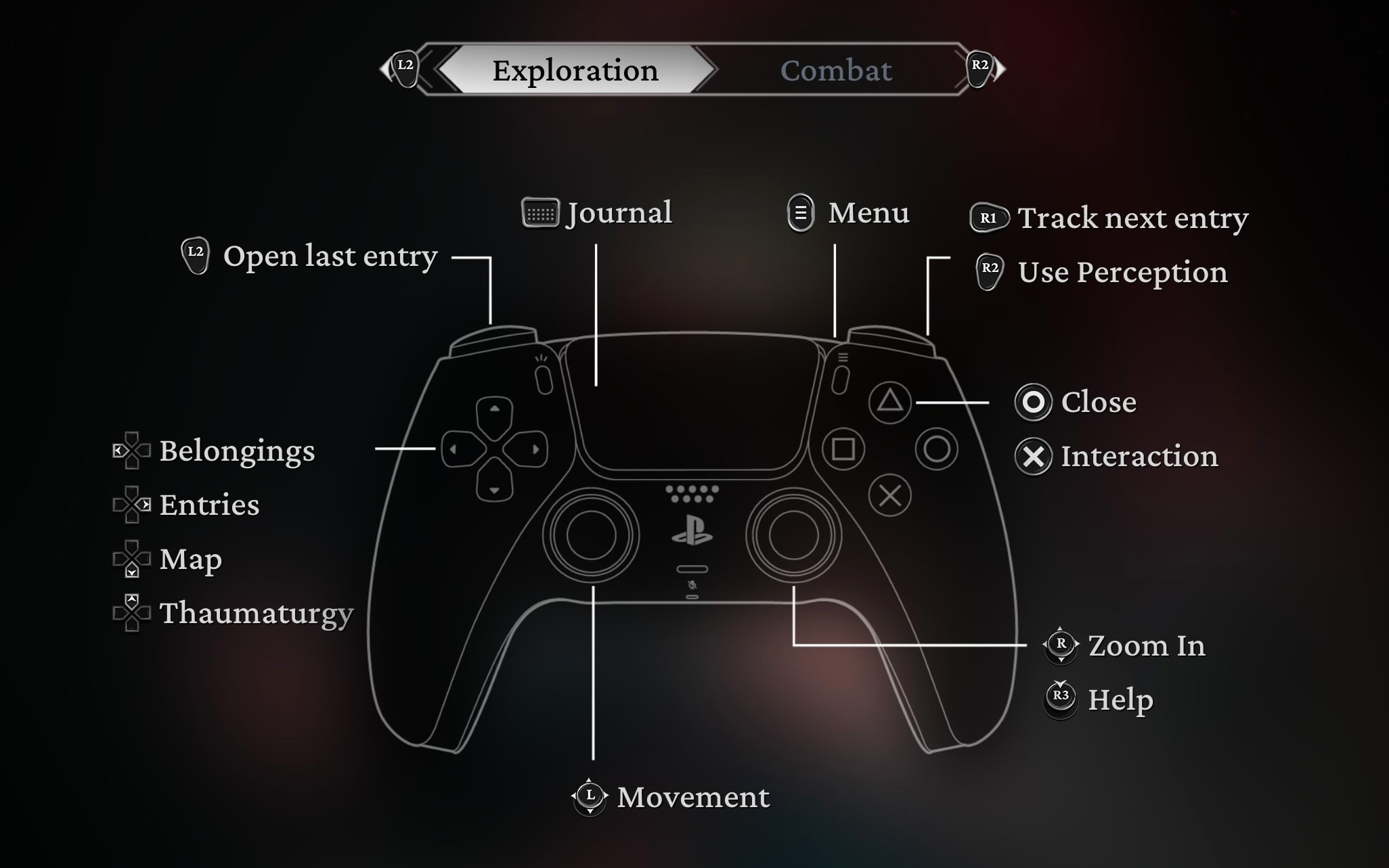
The Thaumaturge Controls
| Action | PlayStation | Xbox |
|---|---|---|
| Movement | Left Stick | Left Stick |
| Switch Between Yourself and a Salutor | L3 | LS |
| Journal | Touchpad | View Button |
| Menu | Options | Menu Button |
| Use Perception | R2 | RT |
| Track Next Entry | R1 | RB |
| Open Last Entry | L2 | LT |
| Interaction | X | A |
| Close | Circle | B |
| Zoom In | Right Stick | Right Stick |
| Help | R3 | RS |
| Belongings | D-Pad Up | D-Pad Up |
| Entries | D-Pad Right | D-Pad Right |
| Map | D-Pad Down | D-Pad Down |
| Thaumaturgy | D-Pad Left | D-Pad Left |
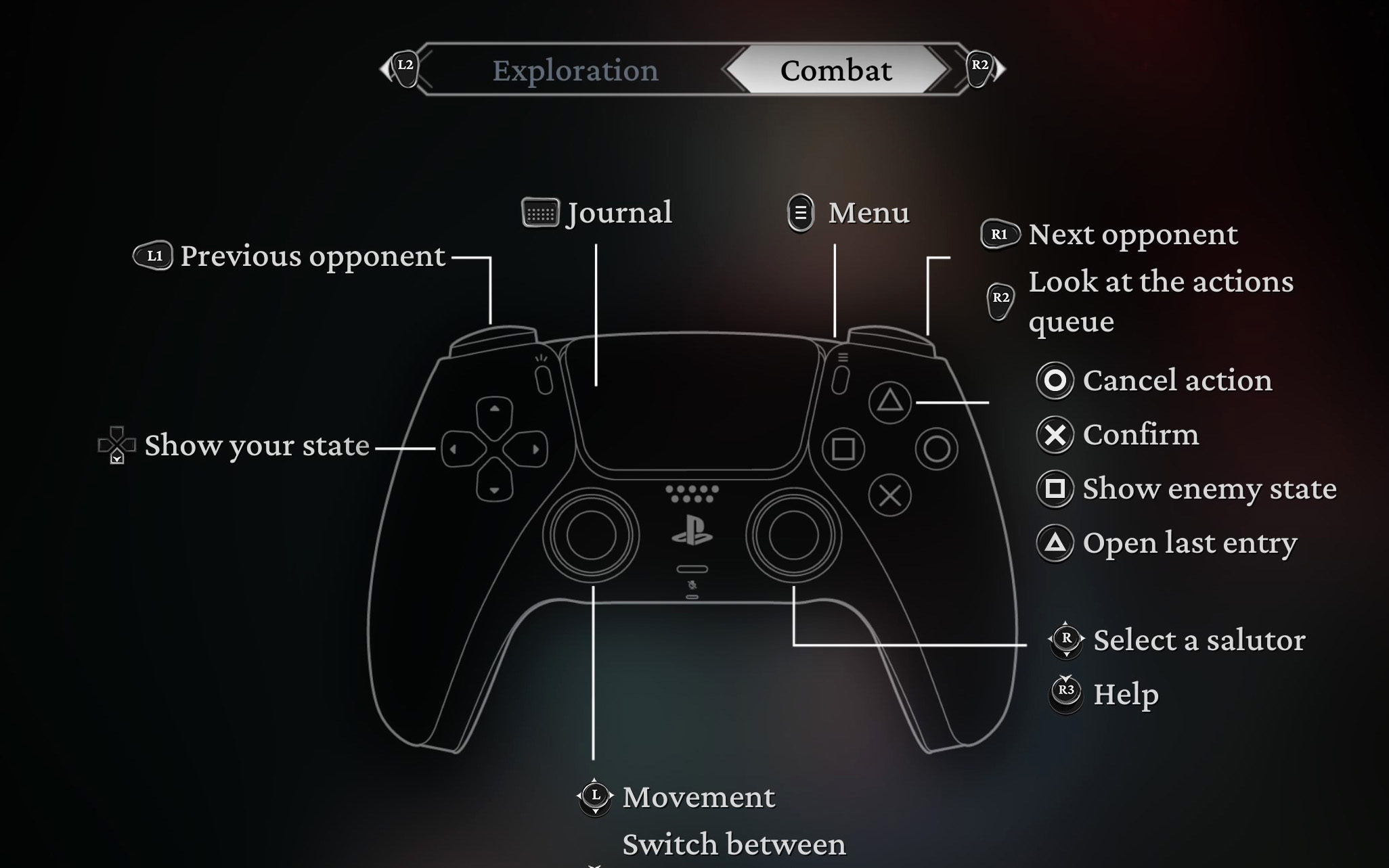
Combat Controls
| Action | PlayStation | Xbox |
|---|---|---|
| Movement | Left Stick | Left Stick |
| Previous Opponent | L1 | LB |
| Next Opponent | R1 | RB |
| Look at the Actions Queue | R2 | RT |
| Show Your State | D-Pad | D-Pad |
| Show Enemy State | Square | X |
| Select a Salutor | Right Stick | Right Stick |
| Switch Between Yourself and a Salutor | L3 | LS |
| Open Last Entry | Triangle | Y |
| Confirm | X | A |
| Cancel Action | Circle | B |
| Help | R3 | RS |
| Journal | Touchpad | View Button |
| Menu | Options | Menu Button |
Additional Notes
The Thaumaturge is a story-driven isometric RPG set in 1905 Warsaw. Exploration focuses on using Wiktor's Perception to follow traces, inspect clues, unlock deductions, and progress investigations. Combat is turn-based and uses salutors, supernatural beings connected to human flaws, to weaken enemies, interrupt actions, and create tactical advantages.
- R2 / RT is very important during exploration because Perception highlights traces and clues.
- Journal is used often, since investigations, entries, conclusions, and objectives are tracked there.
- D-Pad shortcuts let you quickly open Belongings, Entries, Map, and Thaumaturgy.
- Combat is not action-based; take your time selecting targets, checking states, and reading the action queue.
- Salutors are central to combat and dialogue, so switching and selecting them quickly helps a lot.
- Controls can be changed from the controller settings menu if the default layout does not feel comfortable.
Check out Tips and Guide for The Thaumaturge
Comments
No comments yet. Be the first to share your thoughts!