DayZ features one of the deepest control schemes in the survival genre. Every action—from managing your inventory and treating injuries to driving vehicles and engaging in firefights—uses dedicated inputs designed to simulate realistic survival. While the controls may feel overwhelming at first, learning them is essential if you want to survive against infected, wildlife, harsh weather, and other players. This guide covers the default controller layout for PlayStation and Xbox, along with additional gameplay notes that every survivor should know.
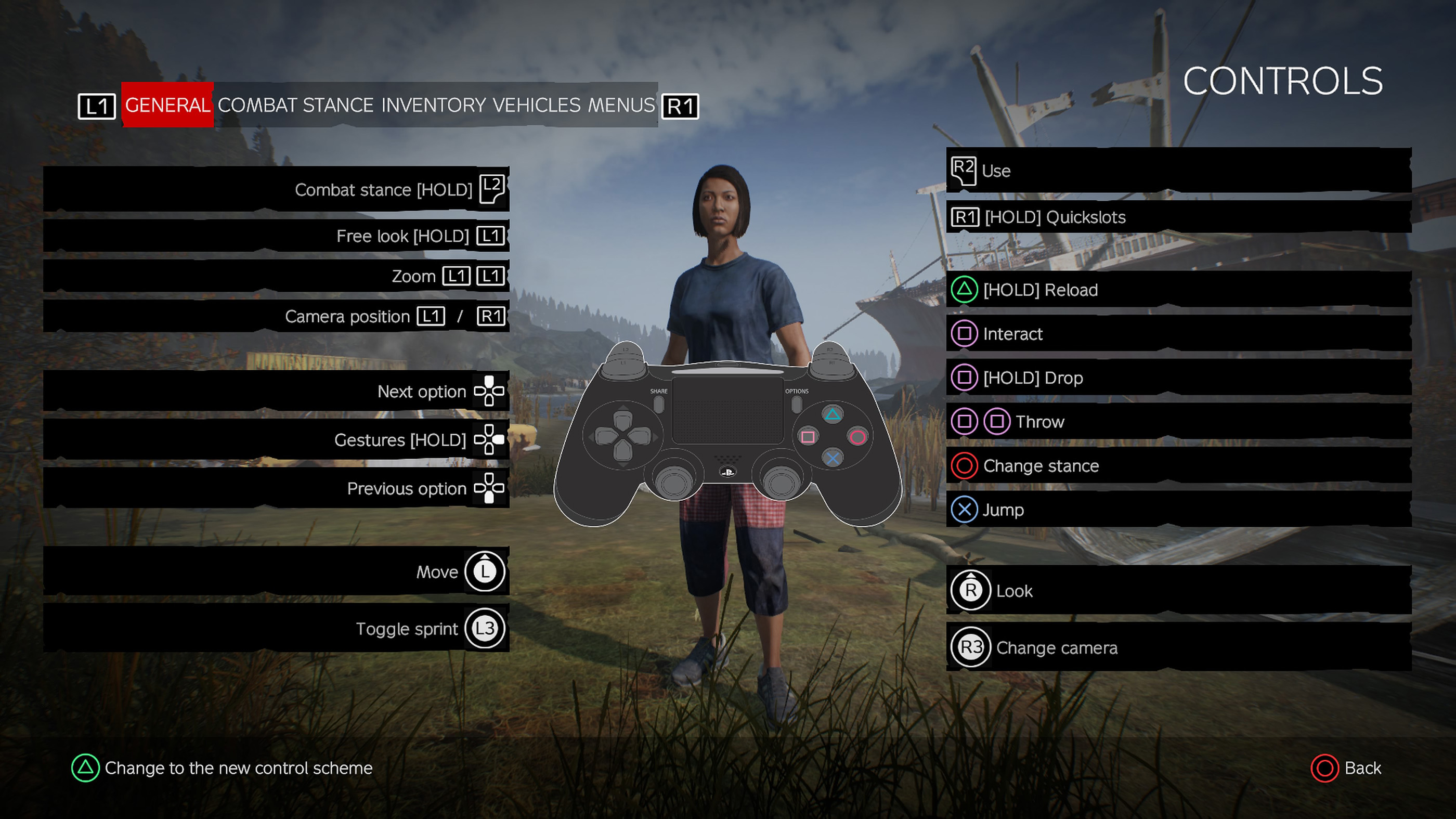
DayZ Controls
| Action | PlayStation | Xbox |
|---|---|---|
| Move | Left Stick | Left Stick |
| Look Around | Right Stick | Right Stick |
| Sprint | L3 | LS |
| Jump / Vault | X | A |
| Change Stance (Stand / Crouch / Prone) | Circle | B |
| Interact / Pick Up | Square | X |
| Drop Item | Hold Square | Hold X |
| Use Item / Fire Weapon | R2 | RT |
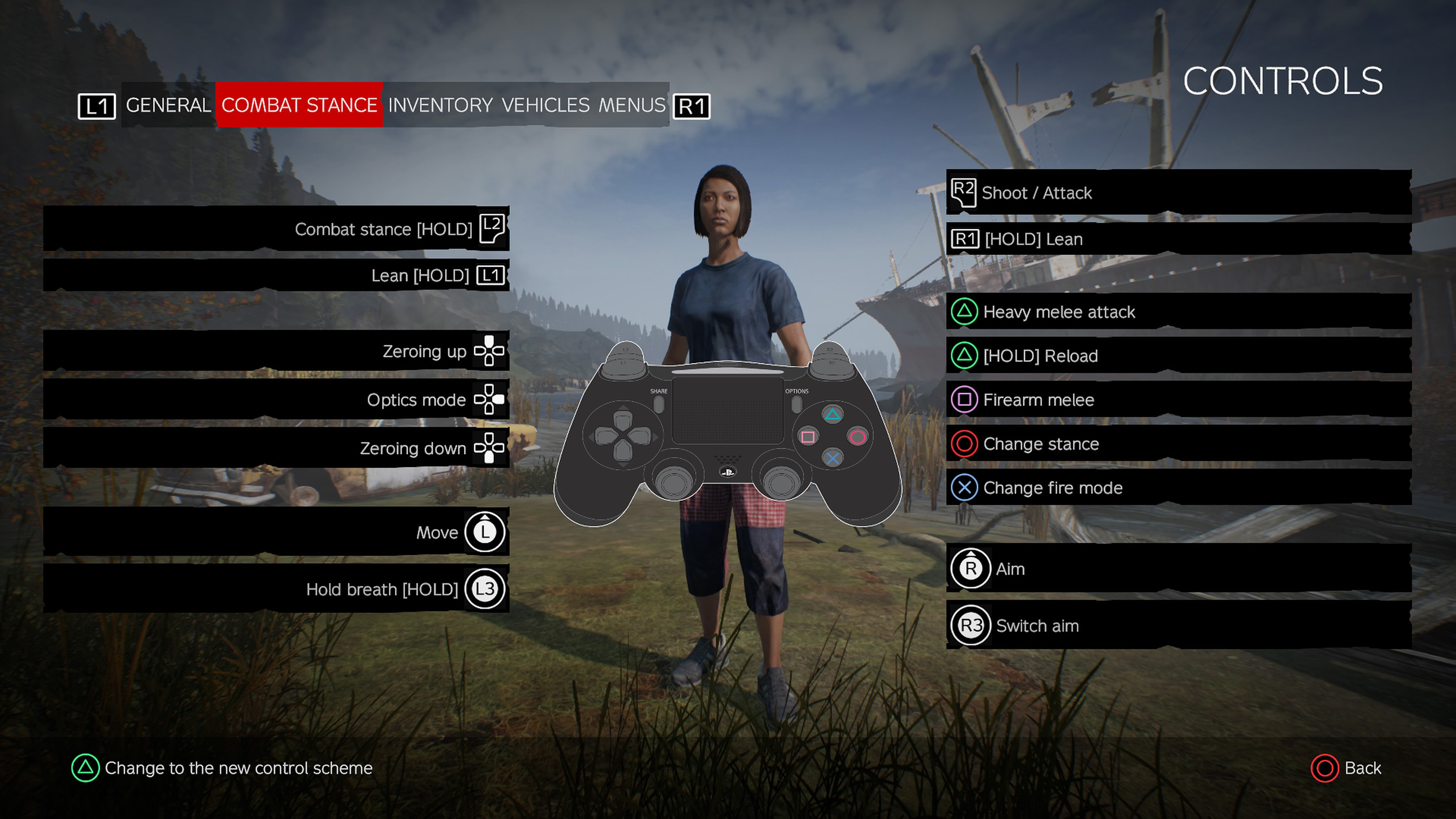
| Aim / Raise Weapon | L2 | LT |
| Heavy Attack / Reload | Triangle | Y |
| Quickslot Wheel | Hold R1 | Hold RB |
| Free Look | Hold L1 | Hold LB |
| Change Camera | R3 | RS |
| Inventory | Touchpad | View Button |
| Pause Menu | Options | Menu Button |
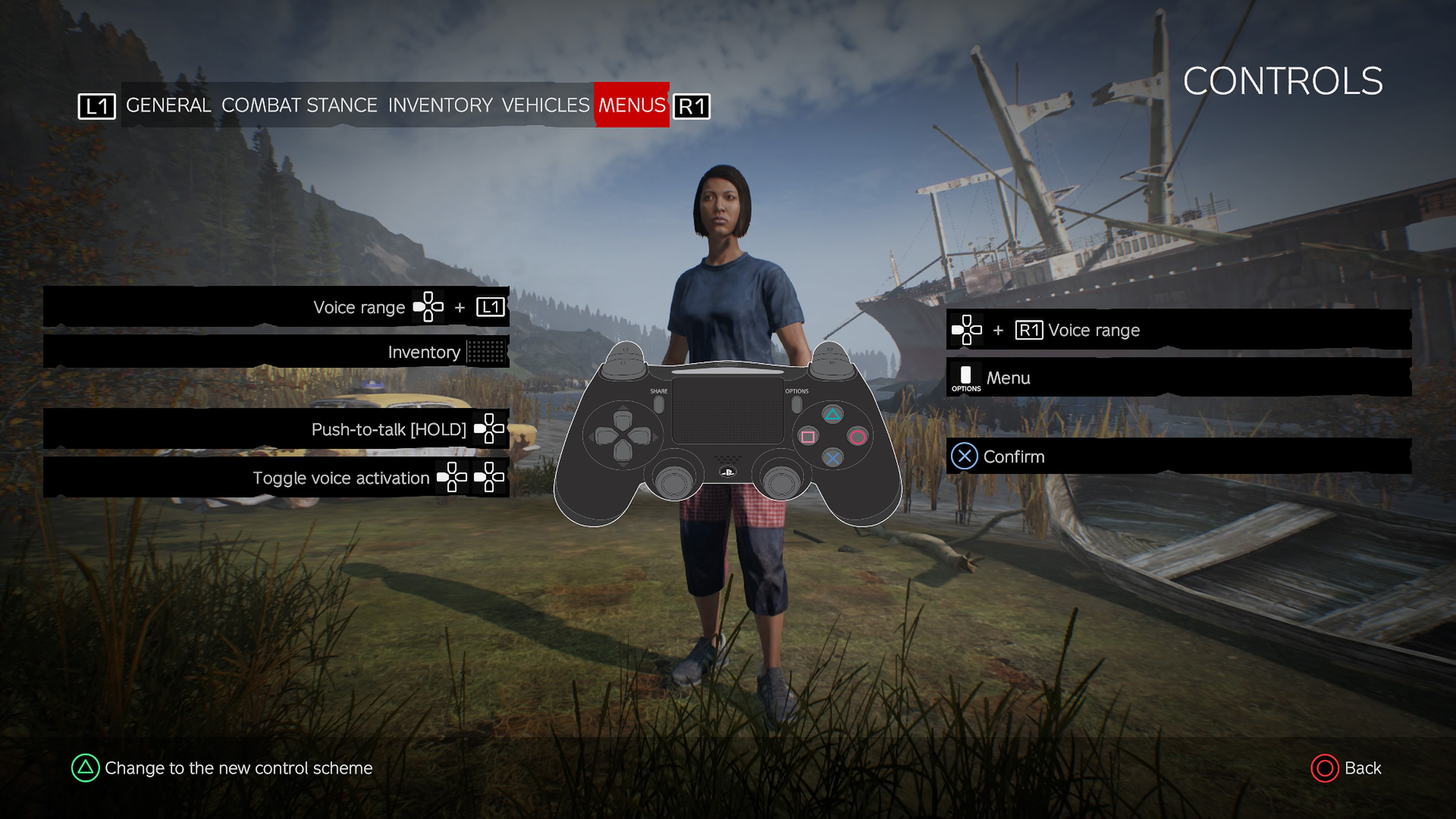
| Voice Chat (Push-to-Talk) | D-Pad Down | D-Pad Down |
| Lean Left | Hold L1 + Left Stick Left | Hold LB + Left Stick Left |
| Lean Right | Hold L1 + Left Stick Right | Hold LB + Left Stick Right |
| Hold Breath | L3 (While Aiming) | LS (While Aiming) |
| Toggle Fire Mode | X (While Aiming) | A (While Aiming) |
| Zero Scope Up | D-Pad Up | D-Pad Up |
| Zero Scope Down | D-Pad Down | D-Pad Down |
| Switch Optic Mode | D-Pad Right | D-Pad Right |
| Throw Item | Double Tap Square | Double Tap X |
| Open Quickslot Assignment | Hold Inventory | Hold View Button |
| Next Quickslot | D-Pad Right | D-Pad Right |
| Previous Quickslot | D-Pad Left | D-Pad Left |
| Gesture Wheel | Hold D-Pad Left | Hold D-Pad Left |
| Emote | Select from Gesture Wheel | Select from Gesture Wheel |
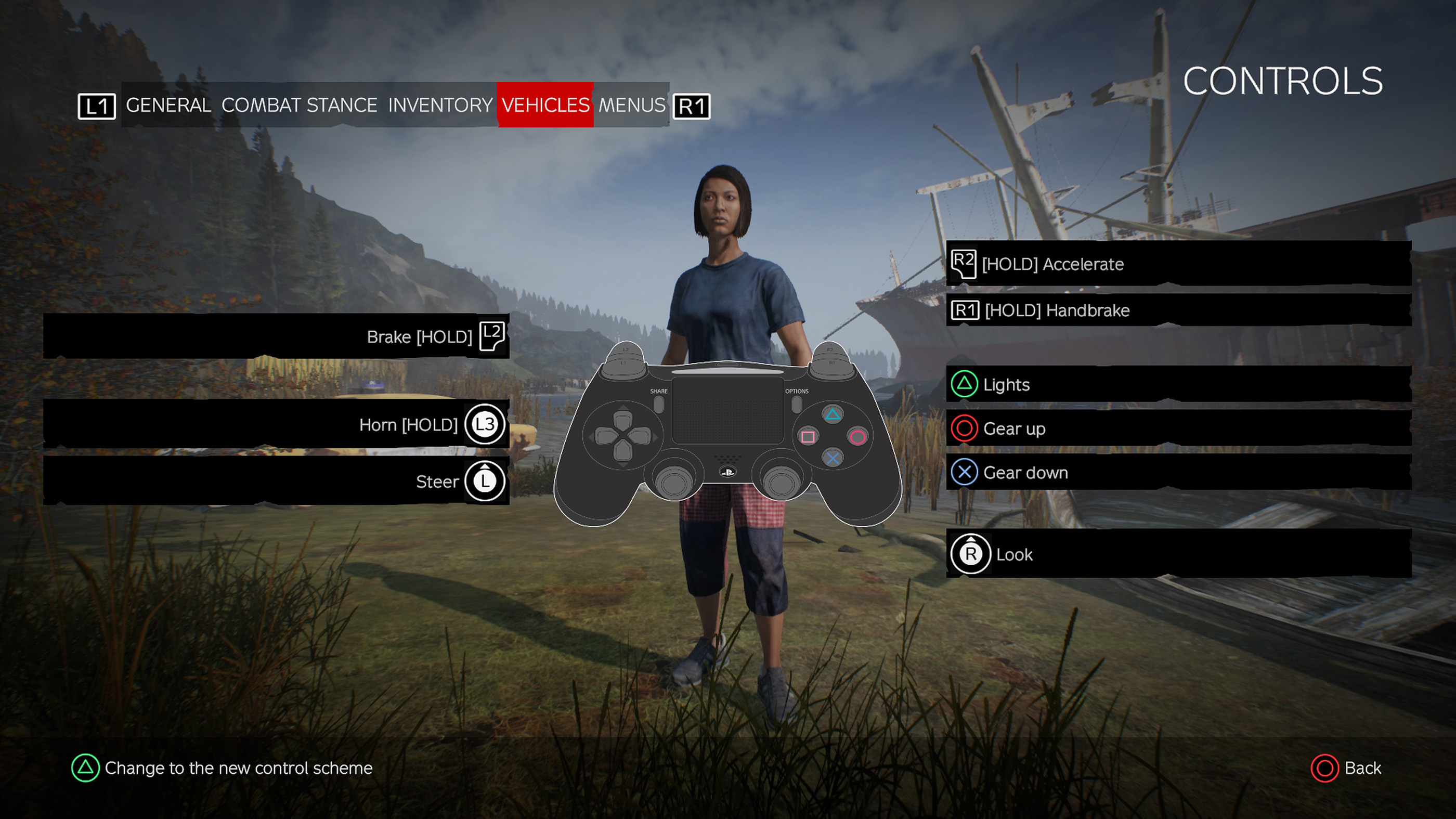
Vehicle Controls
| Action | PlayStation | Xbox |
|---|---|---|
| Accelerate | R2 | RT |
| Brake / Reverse | L2 | LT |
| Steer | Left Stick | Left Stick |
| Look Around | Right Stick | Right Stick |
| Handbrake | Circle | B |
| Shift Up | R1 | RB |
| Shift Down | L1 | LB |
| Horn | Triangle | Y |
| Exit Vehicle | Square | X |
| Toggle Headlights | D-Pad Up | D-Pad Up |
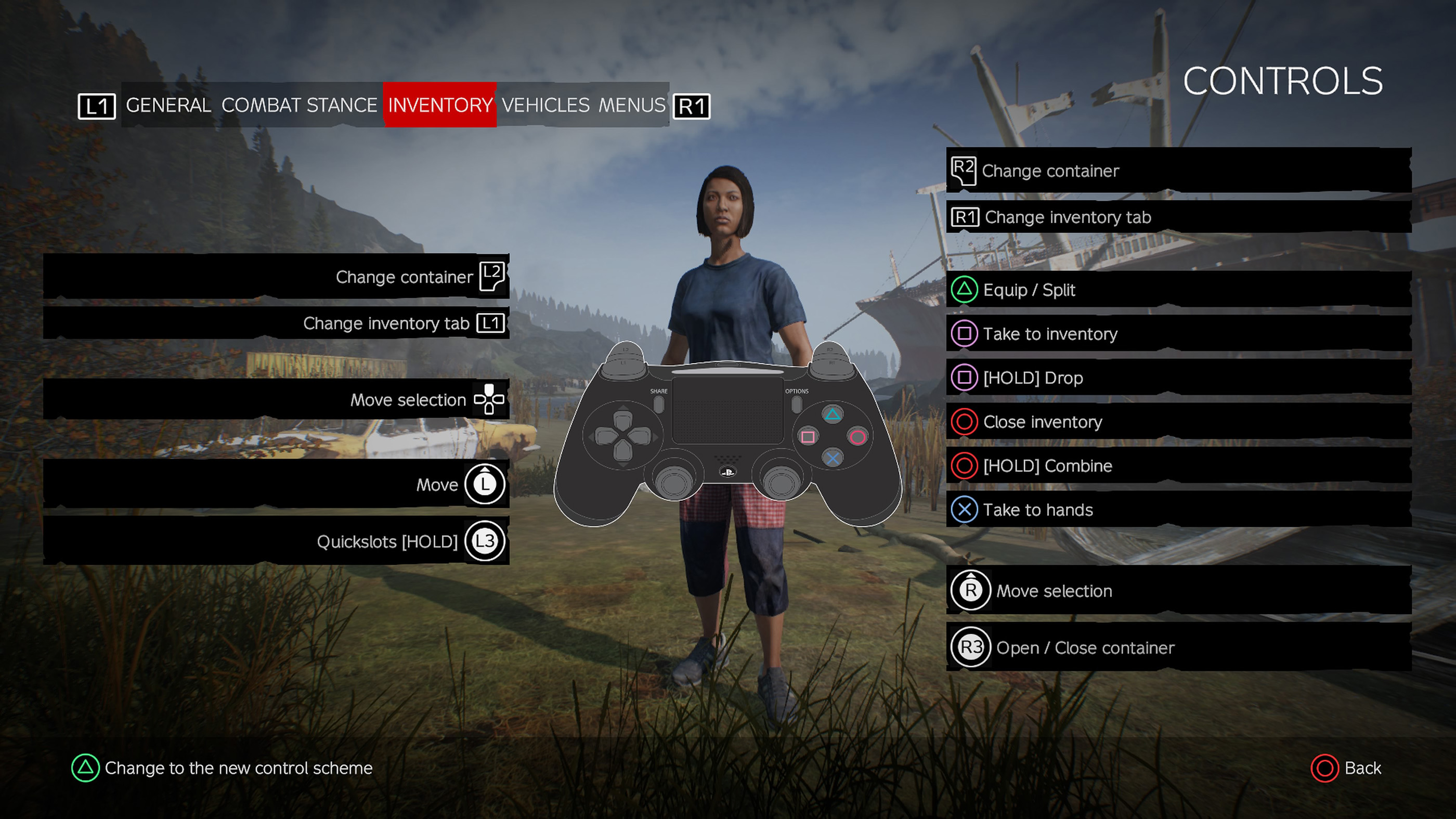
Inventory Controls
| Action | PlayStation | Xbox |
|---|---|---|
| Open Inventory | Touchpad | View Button |
| Move Cursor | Left Stick | Left Stick |
| Navigate Inventory | Right Stick | Right Stick |
| Take Item | Square | X |
| Take to Hands | X | A |
| Equip Item | Triangle | Y |
| Combine Items | Hold Circle | Hold B |
| Split Stack | Triangle | Y |
| Drop Item | Hold Square | Hold X |
| Open / Close Container | R3 | RS |
| Switch Inventory Tabs | L1 / R1 | LB / RB |
| Move Between Containers | L2 / R2 | LT / RT |
| Close Inventory | Circle | B |
Additional Notes
DayZ is one of the most realistic survival games available, and many actions take time to complete. Reloading magazines, chambering rounds, bandaging wounds, repairing equipment, cooking food, and managing your inventory all require deliberate inputs. Unlike arcade survival games, rushing actions often leaves you vulnerable to infected or other survivors.
- L2 / LT raises your weapon or prepares many handheld tools before using them with R2 / RT.
- Hold R1 / RB opens the Quickslot wheel, allowing fast access to weapons, medical supplies, food, tools, and other frequently used items.
- Holding L1 / LB activates Free Look, letting you scan your surroundings without changing your movement direction.
- Inventory management is a major part of survival. Organizing clothing, backpacks, containers, and quickslots properly will help you react much faster during combat.
- Firearms are not automatically ready. Many weapons require magazines to be loaded, rounds chambered, and safety checked before firing.
- Vehicles require maintenance. Most cars need a battery, radiator filled with water, spark plug (or glow plug on trucks), fuel, and wheels before they can be driven safely.
- Voice Chat is proximity-based by default, making communication with other survivors one of the most important mechanics in DayZ.
- Controller bindings can be customized through the game's settings menu if you prefer a different layout.
Check out Tips and Guide for DayZ
Comments
No comments yet. Be the first to share your thoughts!