Tiny Tina's Wonderlands button layout and controls cheatsheet for PlayStation, Xbox and PC. Tiny Tina's Wonderlands is an action role-playing first-person shooter video game developed by Gearbox Software and published by 2K for PlayStation 5, PlayStation 4, Xbox Series X and Series S, Xbox One and Microsoft Windows.
See also: Tiny Tina's Wonderlands Tips and Guide
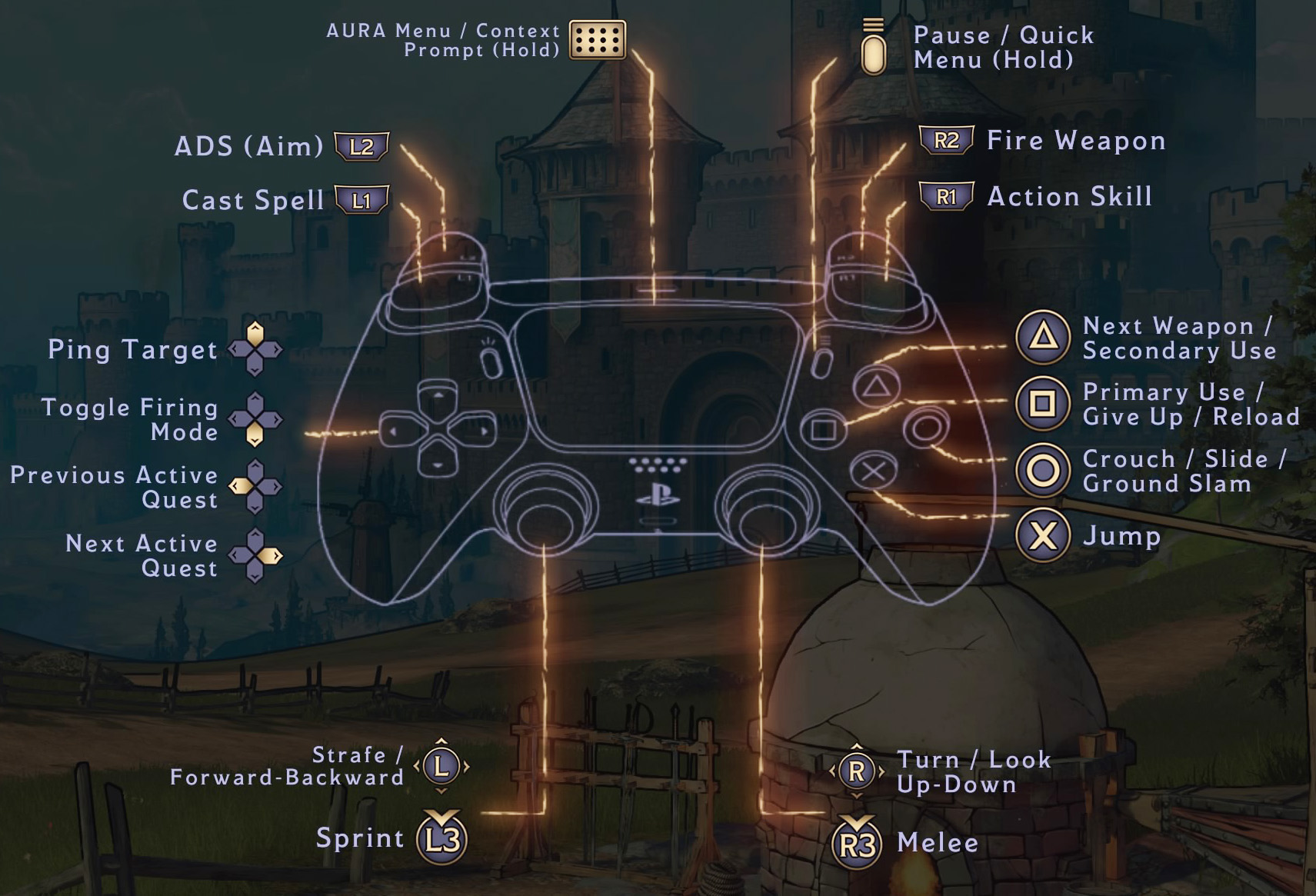
Tiny Tina's Wonderlands Controls
| Action | PlayStation | Xbox / PC |
|---|---|---|
| Forward-Backward / Strafe | L | L |
| Sprint | L3 | L3 |
| Turn / Look / Up-Down | R | R |
| Melee | R3 | R3 |
| Primary Use / Give Up /Reload | Square | X |
| Next Weapon / Secondary Use | Triangle | Y |
| Jump | X | A |
| Crouch / Slide / Ground Slam | Circle | B |
| Action Skill | R1 | RB |
| Fire Weapon | R2 | RT |
| Cast Spell | L1 | LB |
| ADS (Aim) | L2 | LT |
| Ping Target | D-Pad Up | D-Pad Up |
| Toggle Firing | D-Pad Up | D-Pad Up |
| Previous Active | D-Pad Left | D-Pad Left |
| Next Active | D-Pad Right | D-Pad Right |
| AURA Menu / Context Prompt (Hold) | Touchpad | Touchpad |
| Pause / Quick Menu (Hold) | Options | Start |
Comments
No comments yet. Be the first to share your thoughts!